Free Data Extraction Template for Systematic Reviews
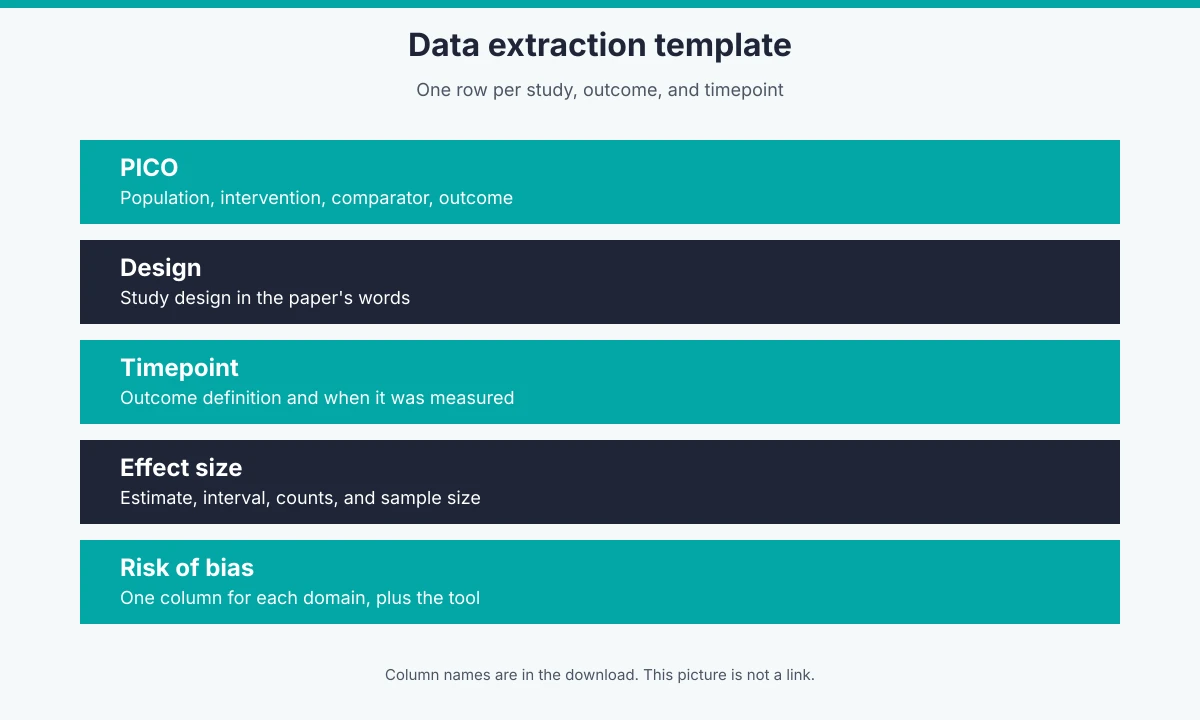
A search for a template extraction SDK is a search for software that pulls the same fields out of many forms. A systematic review uses a data extraction template for that job: one row per study, outcome, and timepoint, with PICO fields, study design, the effect size, and a column for each risk-of-bias domain. Download the CSV, Excel, or Word file below and fill it in by hand.
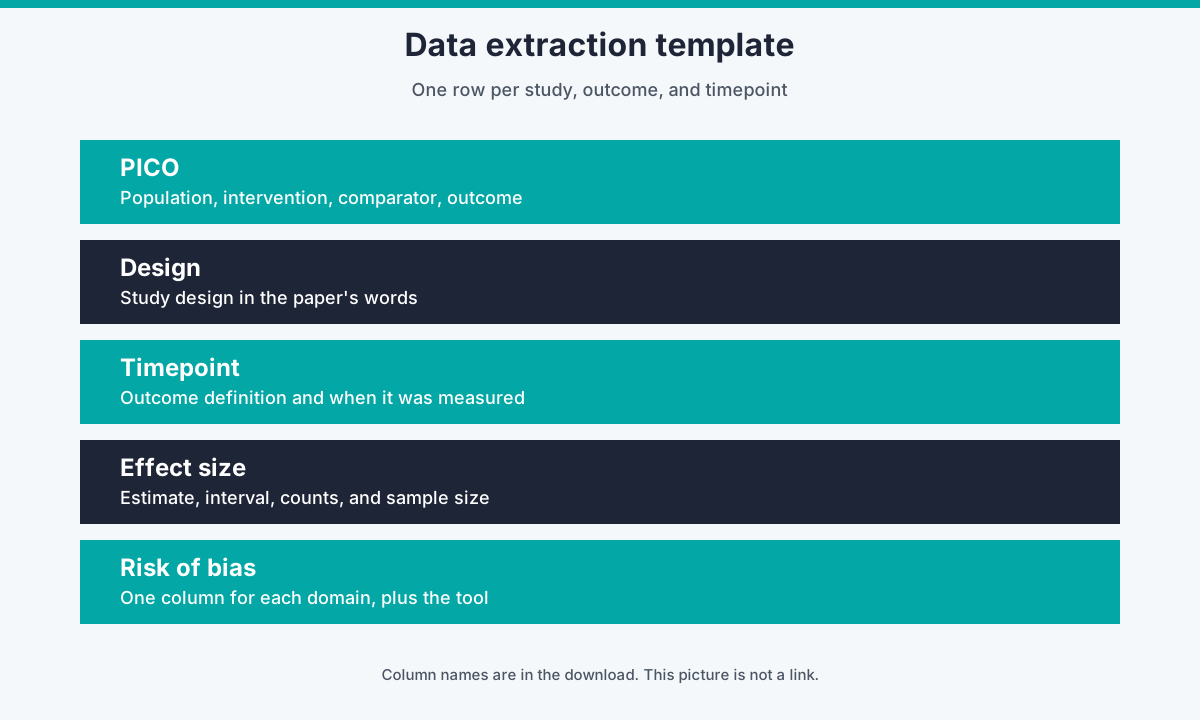
Figure. The five groups in the file. This figure is not a link. The column names are in the download.
Cochrane Handbook chapter 5 says data collection for a systematic review should use a structured form, and that the form should be piloted. The Excel file here is that kind of form for an intervention review. The first data row is a teaching example. It is not a real study. Delete it before you extract.
What each column is for
The Results sheet is one row per study, outcome, and timepoint. A paper with two outcomes at two timepoints is four rows, so the effect estimate stays attached to the moment it was measured.
| Group | Columns | What to copy from the paper |
|---|---|---|
| Identity | study_label, citation, year, country | Enough to find the report again |
| PICO | population, intervention, comparator, outcome_name | The groups and the contrast this row is about |
| Outcome | outcome_definition, timepoint | The instrument and when it was measured |
| Design | study_design | The design in the paper’s words |
| Effect size | analysis_set, intervention_n, comparator_n, effect_measure, effect_estimate, ci_lower, ci_upper, events_intervention, events_comparator | The numbers for this timepoint only |
| Risk of bias | rob_tool and one column per RoB 2 domain, plus rob_overall and rob_support_note | The judgment for this result, with a quote and a page |
Leave a cell blank when the paper does not report it. Do not fill a gap with a calculated number unless the protocol says you will calculate it, and then say that you calculated it.
The five risk-of-bias columns on Results are the RoB 2 domains for a randomized-trial result. Cochrane Handbook chapter 8 names them: bias arising from the randomization process; bias due to deviations from intended interventions; bias due to missing outcome data; bias in measurement of the outcome; and bias in selection of the reported result. Judgments are Low, Some concerns, or High. The workbook’s Instructions sheet repeats that list.
The ROBINS-I sheet is for a non-randomized study of an intervention. ROBINS-I (Sterne and colleagues, BMJ 2016) uses seven domains: confounding, selection of participants, classification of interventions, deviations from intended interventions, missing data, measurement of outcomes, and selection of the reported result. Judgments on that sheet are Low, Moderate, Serious, or Critical. Do not type those words into the RoB 2 columns.
If the protocol uses the Newcastle-Ottawa Scale instead, add columns for selection, comparability, and exposure or outcome ascertainment. Stars do not belong in the RoB 2 columns. Tool choice by design is covered in How to choose a quality review tool.
The CSV is the Results sheet only, including the teaching row. The Word file has the same headers in a table, plus the ROBINS-I headers. The Excel file has Instructions, Results, and ROBINS-I.
Worked example in Evidence Table Builder
The teaching row is there so the columns are obvious. Here is the same setup inside Evidence Table Builder, using only the controls the app actually has.
- Open Builder. Choose Start from scratch, or Use template. Starter templates and your own templates are described in Extraction templates in Builder. Editing a starter template creates a personal copy. The starter stays unchanged. Edits autosave.
- Add one extraction question for each column you need from the Results sheet. On the field, set the field label (a short name for reviewers), the output column (this becomes the Excel heading; use the header from the file, such as
effect_estimate), and the reviewer tooltip. The tooltip is required before the template can be saved. The extraction hint is optional. It is sent with the question and is the place for a rule such as “copy the 12-week risk ratio, not the 6-week one.” - Upload the PDFs and run extraction.
- Open an answer’s audit trail. The trail stores a verbatim quote, a page, and a location, and the PDF panel can highlight that quote. That behavior is the audit trail on extracted answers.
- Download Excel from the results view.
- For the risk-of-bias columns, use the quality-assessment workspace when the matching profile is switched on. Today those profiles are RoB 2 (parallel, cluster, and crossover), ROBINS-I, the Newcastle-Ottawa Scale, AMSTAR 2, ROBIS, and the six NHLBI checklists, plus CORE extraction, which does not produce a bias judgment. Download that run as a spreadsheet and copy the domain judgments into the row. QUADAS-2, QUADAS-3, and the CASP checklists are not switched on there, so those judgments are typed into the sheet. The profile list is the one in Quality assessment in Evidence Table Builder.
Builder does not replace a second person extracting the same cells. Two reviewers can still fill two copies of this sheet. The app’s part is the question, the quote, and the spreadsheet you download.
How this compares with other templates
Each note below is limited to the page that was open while this article was written. Where a form’s columns were not on that page, they are not invented here.
Covidence Extraction 1. The Extraction 1 template guide (updated 14 August 2026) walks through identification, methods, population, interventions or exposures, and outcomes. Identification defaults include sponsorship source and country. Methods defaults include study design. Population covers inclusion criteria and baseline characteristics by group. Interventions cover arms and details such as dose, delivery, and duration. Outcomes cover timepoints and measurement tools. A separate comparison of Extraction 1 and Extraction 2 says Extraction 1 is built for intervention reviews and can export to RevMan, and that quality assessment is its own template. That is a strong in-product form. It is not a public blank sheet. The workbook on this page puts the effect estimate, the confidence interval, the counts, and a column for each RoB 2 domain on the same row as the timepoint, which is the layout you need when the next step is an evidence table rather than an import into RevMan.
RevMan. Cochrane’s data extraction templates are import files for study-centric data in RevMan. They are split: study information (one row per study), study arms (one row per arm), study results (contrast-level and arm-level, with simpler arm-only and contrast-only files), and risk of bias (Risk of Bias 1, one row per study, or Risk of Bias 2, one row per result). A review uses one of those risk-of-bias files, not both. The columns have to match the review criteria before import. Those files are the right shape for RevMan. They are several files. This workbook is one reviewer sheet: PICO, design, timepoint, effect size, and the five RoB 2 domains together, with a second sheet for ROBINS-I.
JBI. Appendix 9.3 of the JBI Manual for Evidence Synthesis is titled as the data extraction form for a review of systematic reviews and research syntheses. The public page shows that title and a publication date of 26 March 2024. The form’s fields did not load from that page in the check for this article, so this comparison does not list JBI columns or claim to contain more of them. The job is also different: that appendix is for extracting from reviews, and the file on this page is for primary intervention studies.
IFIS. The IFIS download page groups templates by question: evaluation, monitoring, effect or effectiveness, comparative effectiveness, and test accuracy, plus a protocol example and a search-terms template. It says the extraction templates can also be used as evidence tables by writing notes in the abstract column. That is a useful set when the question type changes. The page does not show a single sheet that already separates the effect estimate, the interval, and a risk-of-bias domain per column. This workbook does that for an intervention table, and it keeps the ROBINS-I domains on their own sheet so they are not forced into the trial columns.
Before you pilot it
Chapter 5’s point still stands: pilot the form on a few papers and change the columns before the full extraction. Add a column when the protocol needs it, including a level-of-evidence field if you are using a named hierarchy. Drop a column that no synthesis will use. Keep the effect estimate and the domain judgments in separate cells either way.
Related reading
Tags:

About the Author
Connect on LinkedInGeorge Burchell
George Burchell is a specialist in systematic literature reviews and scientific evidence synthesis with significant expertise in integrating advanced AI technologies and automation tools into the research process. With over four years of consulting and practical experience, he has developed and led multiple projects focused on accelerating and refining the workflow for systematic reviews within medical and scientific research.