Click Any Answer, See the Exact Sentence in the PDF
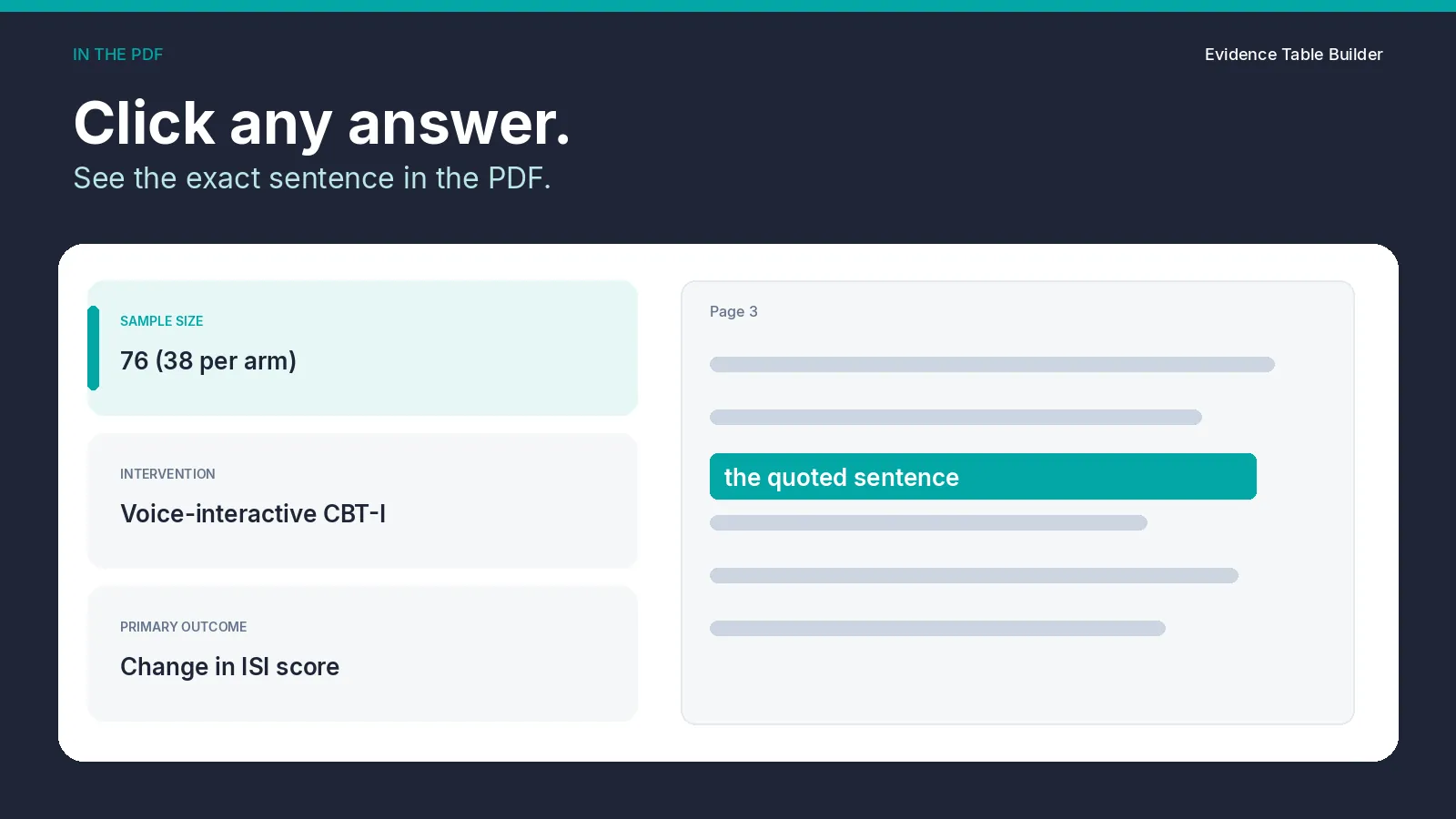
Checking an extracted cell used to mean searching the PDF for the sentence again. In Builder, the cell is the way back to the quote that was stored with that answer.
In the results table, click the answer. That control is titled "Show this answer in the source PDF". Review Answers & Evidence opens for that paper, and the field you clicked is marked. The viewer opens the cited page and highlights the verbatim quote stored for that answer, when those words can be placed on the page. It starts from the first stored quote for that field.
Review answers, on the file row, opens the same dialog for the whole file and starts from the first stored quote in the file.
What the click does
Under each answer, every stored quote is its own button. The button shows the page, a location label such as a section, table, or figure, and the start of the quote. Click that button and the viewer moves to that passage. Builder keeps at most two verbatim quotes for each field.
On a wide screen the PDF sits beside the answers. The same dialog opens on a smaller screen. Previous, Next, and zoom stay on the viewer, so you can read the lines around the quote.
The mark on the page is a yellow highlight over the quoted words. It shows where to look. It does not mean the answer is the right one for your protocol, and it does not mean a person has checked the cell. The cell stays unverified until a reviewer chooses Verify answer, or Save & verify after an edit.
When the file has a quote that can be marked, Download proof PDF saves a copy of the source with those quotes highlighted, plus a cover page for the file.
If the quote is tied to a figure or a table, the viewer scrolls to that region of the page. A scanned page can take a little longer. If the words still cannot be placed, the cited page opens and a short notice says the highlight is unavailable. If the answer has no stored quote, the PDF still opens for a manual check, and the field says that no audit evidence is stored.
Why a reviewer, and a second reviewer, open it
The first check is reading the quote next to the cell. A second reviewer can open the same answer and see the same passage, then leave the text or change it. The workbook records the status, the reviewer, and the time. That record is the check. The highlight is only the location.
Two people can still disagree about what the sentence means for the extraction form. The viewer does not settle that. It puts both of them on the same words.
The same quotes, on the Audit Trail sheet
Download Excel writes a Results sheet and an Audit Trail sheet. Results is one row per file and one column per field. Audit Trail is one row per stored quote, up to two quotes for each field. Those rows carry the verbatim text, the location type, the location label, and the page the viewer uses. They also carry confidence, the flags not_found, ambiguous, and needs_human_review, AI Answer, Final Answer, verification status, the reviewer, and Reviewed at.
Use the viewer when you need the sentence on the page. Use the sheet when you need that record in the workbook. The columns and the status meanings are set out in Audit trails.
Try it on a sample paper
The panel below is the same demo as on the homepage. Four example answers come from one open-access trial. Click an answer and the highlight is the sentence behind that example. On a phone, tap an answer, or tap See this sentence in the PDF, and that sentence opens in a panel. The frame keeps its height while the page draws, including on a small screen. The citation and licence sit under the panel. These are sample answers for the demo, not a result from your own upload.
Click any answer. See the exact sentence in the PDF.
Four example answers from one open-access trial. The highlight is the sentence behind the answer.
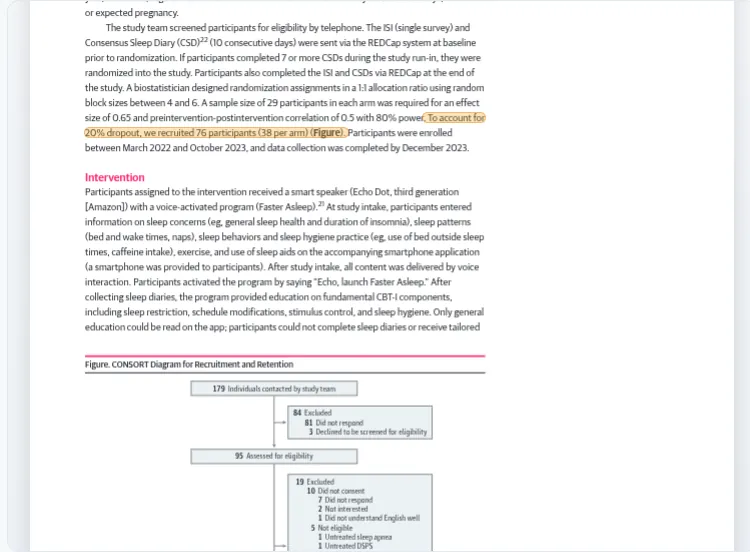
Preview shows the sample-size sentence.
Starling et al., JAMA Network Open, 2024. Voice-Activated Cognitive Behavioral Therapy for Insomnia. DOI · CC BY 4.0. © 2024 Starling CM et al. Highlights added; answers paraphrased. Open the sample PDF.
Checking an extracted cell used to mean searching the PDF for the sentence again. In Builder, the cell is the way back to the quote that was stored with that answer.
In the results table, click the answer. That control is titled "Show this answer in the source PDF". Review Answers & Evidence opens for that paper, and the field you clicked is marked. The viewer opens the cited page and highlights the verbatim quote stored for that answer, when those words can be placed on the page. It starts from the first stored quote for that field.
Review answers, on the file row, opens the same dialog for the whole file and starts from the first stored quote in the file.
What the click does
Under each answer, every stored quote is its own button. The button shows the page, a location label such as a section, table, or figure, and the start of the quote. Click that button and the viewer moves to that passage. Builder keeps at most two verbatim quotes for each field.
On a wide screen the PDF sits beside the answers. The same dialog opens on a smaller screen. Previous, Next, and zoom stay on the viewer, so you can read the lines around the quote.
The mark on the page is a yellow highlight over the quoted words. It shows where to look. It does not mean the answer is the right one for your protocol, and it does not mean a person has checked the cell. The cell stays unverified until a reviewer chooses Verify answer, or Save & verify after an edit.
When the file has a quote that can be marked, Download proof PDF saves a copy of the source with those quotes highlighted, plus a cover page for the file.
If the quote is tied to a figure or a table, the viewer scrolls to that region of the page. A scanned page can take a little longer. If the words still cannot be placed, the cited page opens and a short notice says the highlight is unavailable. If the answer has no stored quote, the PDF still opens for a manual check, and the field says that no audit evidence is stored.
Why a reviewer, and a second reviewer, open it
The first check is reading the quote next to the cell. A second reviewer can open the same answer and see the same passage, then leave the text or change it. The workbook records the status, the reviewer, and the time. That record is the check. The highlight is only the location.
Two people can still disagree about what the sentence means for the extraction form. The viewer does not settle that. It puts both of them on the same words.
The same quotes, on the Audit Trail sheet
Download Excel writes a Results sheet and an Audit Trail sheet. Results is one row per file and one column per field. Audit Trail is one row per stored quote, up to two quotes for each field. Those rows carry the verbatim text, the location type, the location label, and the page the viewer uses. They also carry confidence, the flags not_found, ambiguous, and needs_human_review, AI Answer, Final Answer, verification status, the reviewer, and Reviewed at.
Use the viewer when you need the sentence on the page. Use the sheet when you need that record in the workbook. The columns and the status meanings are set out in Audit trails.
Try it on a sample paper
The panel below is the same demo as on the homepage. Four example answers come from one open-access trial. Click an answer and the highlight is the sentence behind that example. On a phone, tap an answer, or tap See this sentence in the PDF, and that sentence opens in a panel. The frame keeps its height while the page draws, including on a small screen. The citation and licence sit under the panel. These are sample answers for the demo, not a result from your own upload.
Related reading
Tags:

About the Author
Connect on LinkedInGeorge Burchell
George Burchell is a specialist in systematic literature reviews and scientific evidence synthesis with significant expertise in integrating advanced AI technologies and automation tools into the research process. With over four years of consulting and practical experience, he has developed and led multiple projects focused on accelerating and refining the workflow for systematic reviews within medical and scientific research.